Show customers their new fence before you build it
Upload a photo of your customer's yard, pick the fence style, and generate a photorealistic preview in seconds. Stop describing the job. Show it, and close on the spot.
Free credits to start · No subscription · Credits never expire
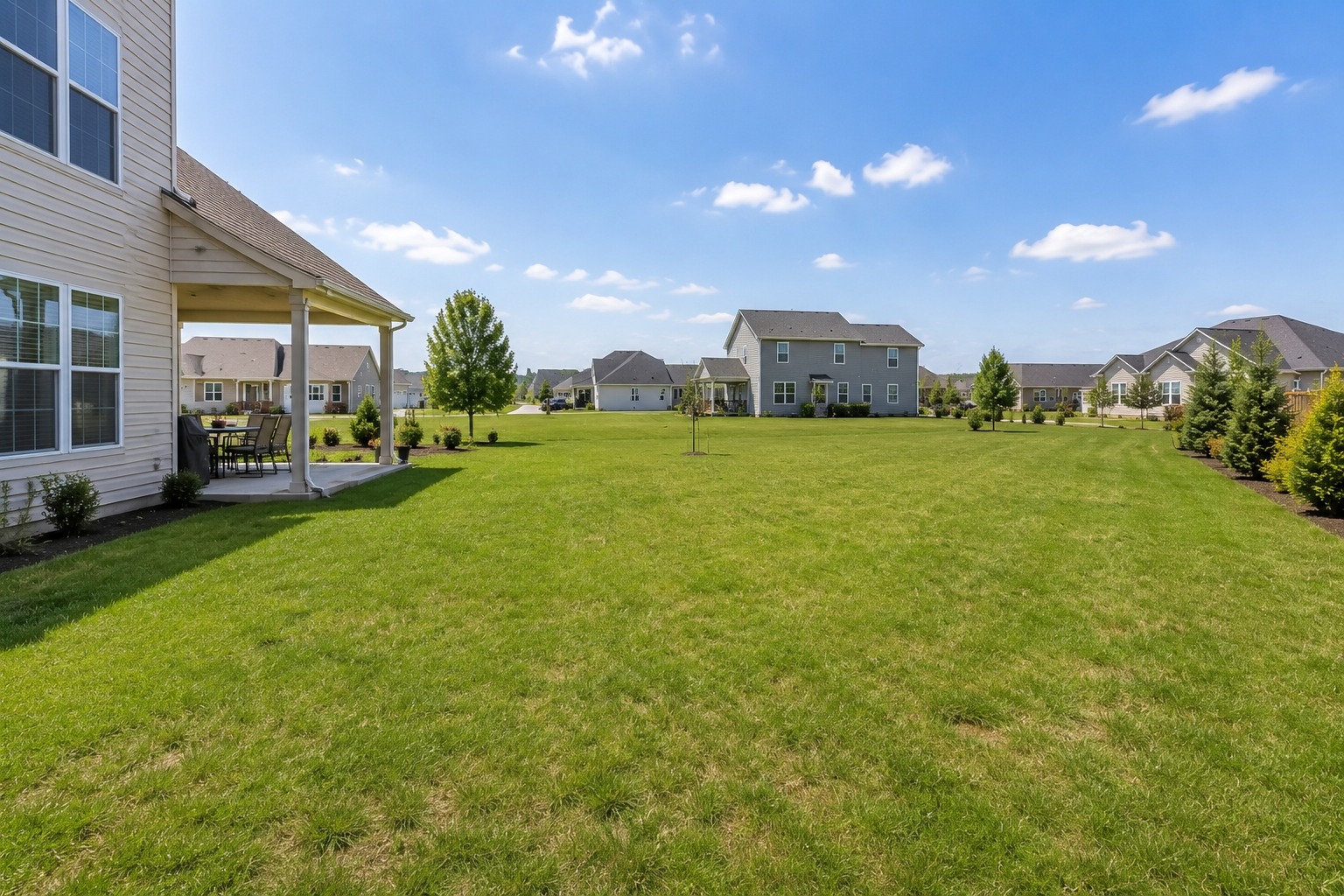
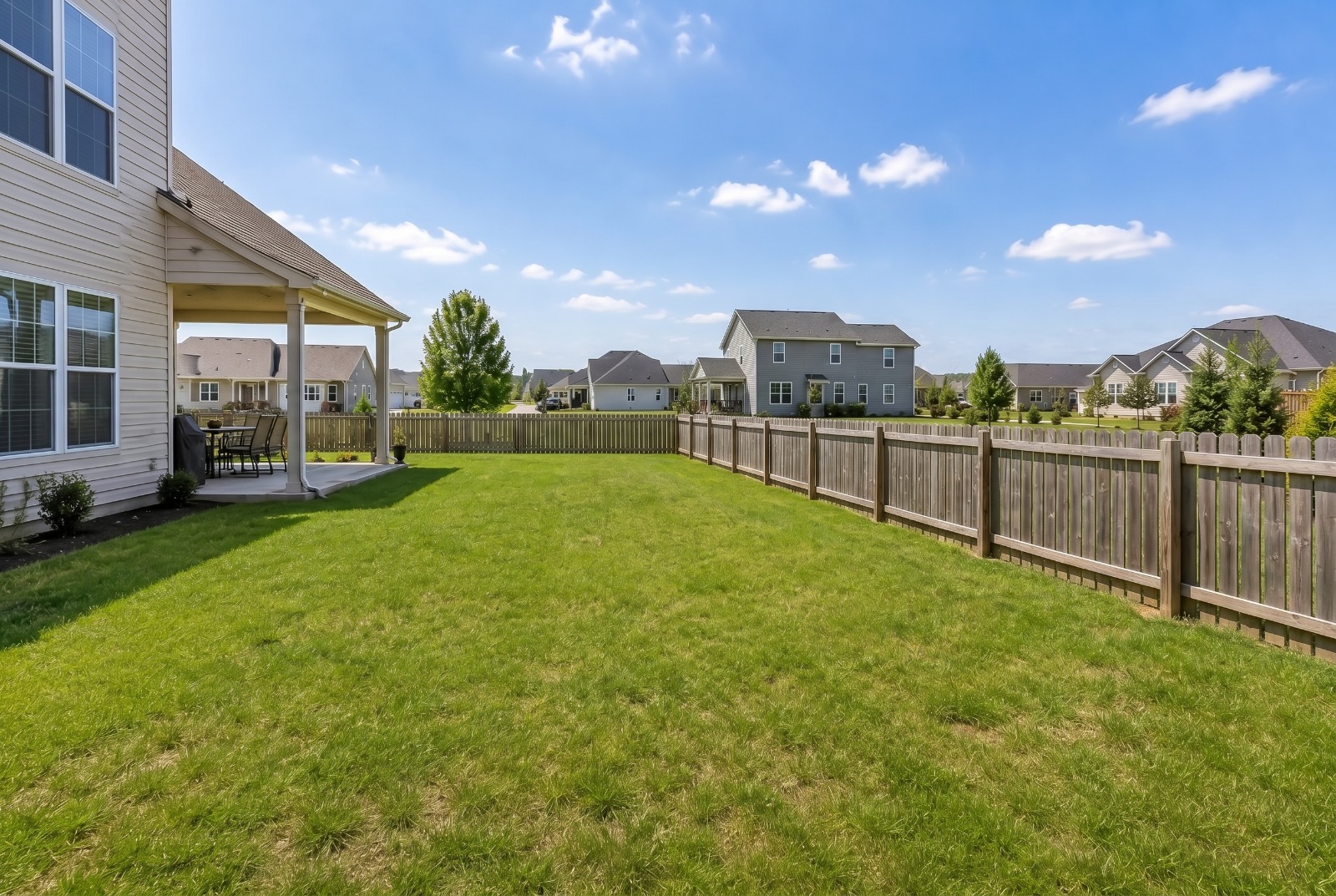
Drag the slider. This is what your customer sees.
~30 sec
to generate a preview
8
fence styles & materials
1 photo
is all you need
$0.99
per preview on Pro
Indecision kills deals. Showing the result closes them.
Homeowners hesitate because they can't picture the finished fence. Hand them a realistic preview in their own backyard and the "let me think about it" turns into "let's do it."
Close on the first visit
Remove the guesswork on the spot. A preview turns a quote into a signed job before you leave the driveway.
Upsell premium materials
Show cedar vs. vinyl vs. composite side by side. When they see the upgrade, they buy the upgrade.
No designer, no Photoshop
Skip the back-and-forth with mockups. Anyone on your crew can make a pro preview in under a minute.
From bare yard to closed deal in 3 steps
No special equipment. Take a photo on your phone and you're ready.
Upload the yard
Snap a photo of the customer's yard where the fence will go, and upload it.
Mark it & pick it
Draw where the fence goes on the photo, then choose material, height, and color, or upload a photo of the exact fence you install.
Show & close
Drag the before/after slider on your phone, download it, and text it to the customer.
Get the fence exactly right before you quote
FencePreview isn't a generic filter. You control where the fence goes, what it's made of, and you can match the exact product you install.
Mark exactly where it goes
Trace the fence line right on the yard photo, corner by corner. Add separate sections for different sides, drag any point to fine-tune, and zoom in for tight spots. The AI installs the fence precisely along your line.
Match your exact product
Upload a photo of the fence you actually install and the AI replicates that material, color, and style, so the preview matches what you'll build, not a generic stock fence.
Dial in every detail
Choose from 8+ materials, set the height, color, and layout, then compare options side by side to upsell the premium pick.
Preview every fence you install
Whatever material the customer is considering, render it into their yard and let the picture do the selling.
Wood Privacy
Cedar, pine, and spruce privacy fences with solid pickets. Show stained vs. natural finishes so homeowners can choose the look they love.
Horizontal Modern
Clean horizontal-slat fences for contemporary homes. Preview tight or spaced gaps and modern stain tones before you cut a single board.
Vinyl / PVC
Low-maintenance white and tan vinyl panels. Help customers see the crisp, uniform look that sells the upgrade over wood.
Chain-Link
Galvanized and black-coated chain-link for yards, pets, and pools. Render practical, budget-friendly options that still look sharp.
Aluminum / Ornamental
Black powder-coated aluminum and wrought-iron styles for curb appeal, pools, and front yards with finials and decorative tops.
Composite
Trex-style composite privacy fences with realistic wood-grain. Showcase the premium, no-rot option and upsell with confidence.
Made for every fence job
From a single backyard privacy fence to a commercial property line, FencePreview helps you win the work.
Residential privacy fences
Backyard privacy and pet containment, your bread-and-butter jobs, closed faster.
Pool & safety fences
Show code-friendly pool enclosures so homeowners feel safe saying yes.
Gates & entrances
Add walk-through and driveway gates to the preview to upsell the full package.
Commercial & HOA
Present clean, consistent fence lines to property managers and boards.
Fence visualization software that helps you sell
For most homeowners, a fence is a big-ticket purchase they'll live with for years, so it's no surprise they hesitate. They can't quite picture how a six-foot cedar privacy fence or a sleek black aluminum fence will actually look around their yard. That uncertainty is what stalls the sale.
FencePreview is an AI fence design and visualization tool built specifically for fence contractors and installers. Instead of relying on catalog photos of someone else's property, you photograph the customer's actual yard and generate a realistic rendering of the proposed fence installed right in that scene. The AI preserves the home, the landscaping, and the lighting, then places the fence so it follows the ground line with believable perspective and shadows.
You stay in control of the result. Trace the fence line directly on the photo to mark exactly where it runs, including separate sections for different sides of the yard, and drag any point to fine-tune the placement. Prefer to show your own product? Upload a photo of the fence you actually install and the AI matches that material, color, and style, so the preview reflects the real job, not a generic stock fence.
Because you can change the material, height, and color in seconds, FencePreview doubles as a powerful upsell tool. Show a customer a basic chain-link option, then a cedar privacy fence, then a premium composite, side by side, in their own backyard. Seeing the upgrade is what convinces people to pay for it.
It works on any device with a browser, so your estimators can build previews on a phone or tablet during the on-site quote. Download the result to text or email the homeowner, attach it to a proposal, or post it to your social media as a portfolio piece. The faster a customer can see the finished result, the faster you close the bid, and the more bids you win against competitors who are still just talking.